
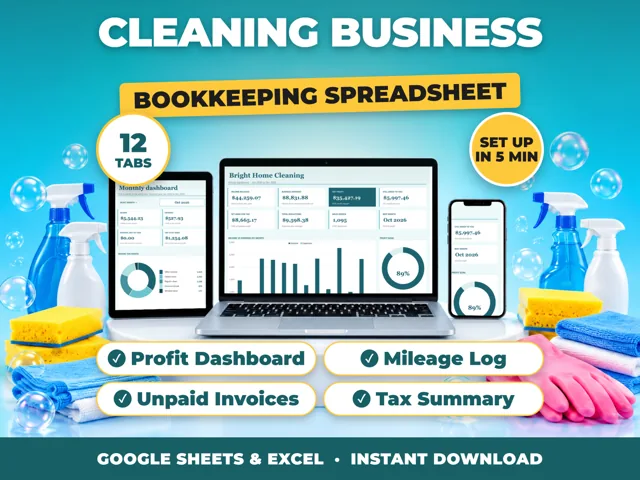
Yes. ProfitDrawer spreadsheets come as an Excel .xlsx file that opens in a recent version of Excel on Windows or Mac and works with no internet connection. For Google Sheets, you need a free Google account and 3 steps: open Sheets, click File > Import > Upload, and choose the .xlsx file, which creates the workbook in your own Google Drive. A Google-Sheets-Setup.pdf with these steps is included.
In Excel: open Bookkeeping-Template.xlsx directly. Nothing to install and no account to make.
In Google Sheets:
- Go to sheets.google.com and sign in.
- Click File > Import > Upload and select Bookkeeping-Template.xlsx.
- Choose to insert the sheets into a blank spreadsheet or replace it, then start on the START HERE tab.
Because you import the file rather than use a shared link from the seller, the spreadsheet lives in your own Drive and cannot break if someone else moves a file.
What to expect in Google Sheets: the formulas use standard functions that Sheets also has, such as SUMIFS, COUNTIFS, EOMONTH, INDEX and MATCH, so totals, dropdowns, month and quarter pickers and charts come across. Charts are redrawn by Google, so fonts and spacing can look slightly different, but the numbers are the same. If Sheets shows a different currency, set your symbol on the Settings tab. Excel's formula locks are not kept in Google Sheets; add protection again with Data > Protect sheets and ranges if you want it.
Pick one place to keep your records, Excel or Google Sheets, so your numbers stay in a single file.
Source: Small Business Bookkeeping Spreadsheet (ProfitDrawer) · Updated
Tools and spreadsheets for this


Related questions
All questions on ProfitDrawer Answers →
General information, not tax, legal or financial advice. Check the rules for your state and your situation.