
Yes. Every ProfitDrawer trade bookkeeping spreadsheet has a Mileage tab with room for 500 trips a year: enter the date, from, to and miles, and it works out the deduction at the rate you set on Settings. The Annual Dashboard shows miles and the deduction, the Monthly Summary shows miles by month, and the Tax Summary shows the mileage deduction. Settings holds one rate for the year, so for 2026 total the miles before and after June 30 separately: the IRS rate rose from 72.5 to 76 cents.
What the Mileage tab records: Date, From, To, Miles and the Deduction for each trip, plus Miles this year and the total deduction at the top.
What it does not have: a separate business purpose column or odometer readings. The IRS expects a business purpose for each trip, so write it in the To field, for example "Client office, Smith quote".
The 2026 rate change: the standard mileage rate for 2026 is 72.5 cents per mile from January 1 to June 30 and 76 cents from July 1 to December 31. With one rate per file, enter 0.725 for the first half, then use the Monthly Summary's miles by month to work out the second-half figure at 0.76, or give your accountant both mileage totals.
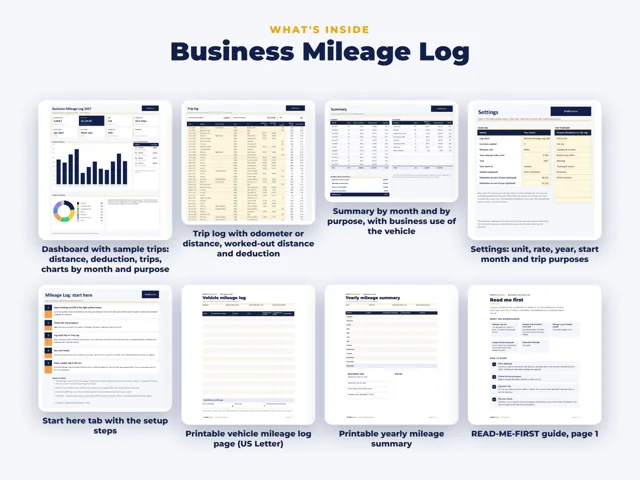
If you need more: the separate ProfitDrawer Business Mileage Log has room for up to 1,000 trips, a purpose column, optional odometer readings and totals by trip purpose, with miles or kilometres.
The deduction figure is for planning and for your accountant; it is not tax advice.
Source: Small Business Bookkeeping Spreadsheet · Updated
Tools and spreadsheets for this





Related questions
All questions on ProfitDrawer Answers →
General information, not tax, legal or financial advice. Check the rules for your state and your situation.